Badges
Rights required: Access/edit badges, in the Reward section of the Animation rights. Without it the Badge tab does not appear; without any reward right, the Reward menu entry and the Rewards statistics tab disappear too. See Assigning rights.
Badges
Rights required: Access/edit badges, in the Reward section of the Animation rights. Without it the Badge tab does not appear; without any reward right, the Reward menu entry and the Rewards statistics tab disappear too. See Assigning rights.
A badge is earned without you: you set a rule, the platform checks it after a learner completes a capsule and hands the badge to whoever meets it. It is encouragement, not proof, and one of the mechanics of Gamification and engagement.
Where it is set
Reward → Badge is the library: Add a badge first asks for a rule type, then opens the badge form, and a search field filters the grid.
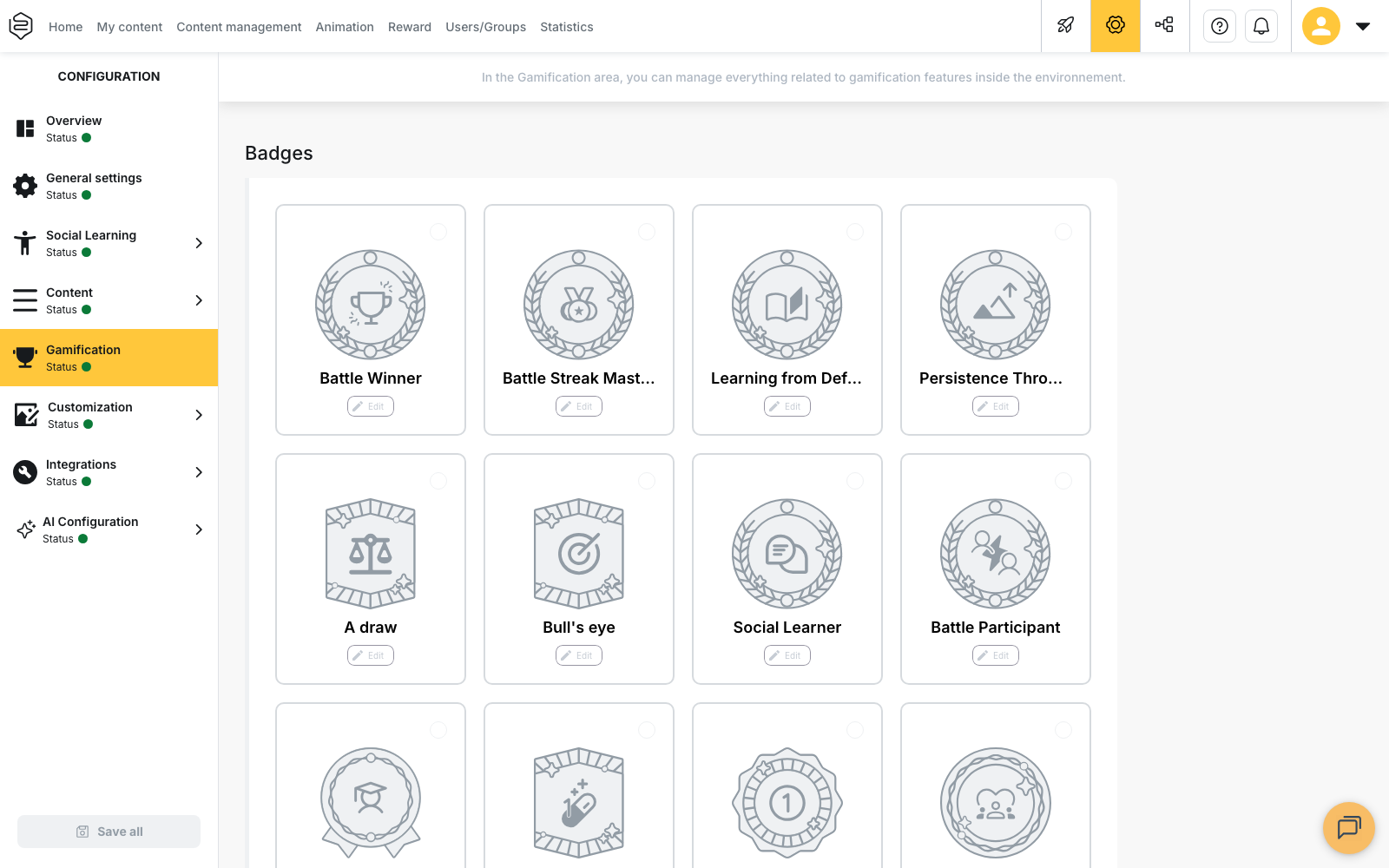
Configuration → Gamification shows one card per rule type: clicking a card activates or deactivates the matching badge, with the name and description shipped by default, and editing is only open on a card that is already active.
The five rule categories
The rule type is chosen at creation and never changes afterwards: everything else about the badge can be edited, that one cannot. The available types are grouped in five categories.
| Category | What is counted |
|---|---|
| Learning content | Capsules completed, and capsules completed with a perfect score |
| Gamification | The learner’s points total, and the total score obtained on first attempts |
| Regularity | Coming back to learn, counted in days or in weeks |
| Social | Comments posted and quiz questions suggested |
| Battle | Battles won, lost, drawn, perfect, completed, streaks, different opponents |
What you set on a badge
- its Name and Description, entered language by language;
- the count expected when the rule type takes one, with its unit next to it: battles, consecutive battles, opponents, capsules, points, comments, suggestions, days or weeks;
- the Active pictogram and the Inactive pictogram, an image or an SVG of your own, with Reset image to go back to the shipped artwork.
💡 The inactive pictogram does more work than the other one. The My badges list in the learner profile shows every active rule, earned or not, and the rest carry that artwork in the meantime.
A tag on the badge card repeats the expected count and its unit. Rule types that take no count show Collector badge instead: completing a capsule is one of them, so that badge is awarded on the first capsule completed rather than at a threshold you choose.
Some types accept several badges, three battles won then ten then fifty, others only one: that one drops out of the list as soon as a badge exists, and it is that badge you edit.
When the award happens
⚠️ The award follows the learner, not the saving of the badge. After a learner completes a capsule, the platform re-checks every active rule on the account, with a delay of around thirty seconds, and recounts the whole history: a badge created today takes last month’s won battles into account, but it only goes out at the next capsule completed by whoever meets the condition.
A badge can also carry a training period. While the current date falls outside that period the rule is not evaluated at all, and the badge can additionally require that the condition itself was met inside the period.
What it does not do
The badge form offers no email and no notification on award: those settings belong to the certificate. An earned badge is kept, it does not expire, it is never taken back, and it is never handed out twice. It cannot be deleted either: the only action is Deactivate badge, which moves it to Deactivated badges, from where Activate badge puts it back. That button stays greyed out as long as no badge has been deactivated.
The trap
Deactivating a badge does not only remove it from the list to be earned. The learners’ My badges list is built from the active rules, so the badge also disappears from the profile of everyone who had earned it. It comes back on reactivation, holders included.
💡 Check that a rule can actually be met before activating it. A badge set on a mechanic your platform does not use, battles on an account without battle mode for instance, stays visible in My badges and is never earned by anyone.
Badge or certificate
Both live in Reward, under the same Animation rights, and rest on the same mechanism of a rule checked after the fact. Three differences decide. The condition: the certificate requires capsules completed and a success rate, or a mastery level on skills; the badge counts an activity. The output: the certificate produces a printable document as soon as a template is attached to it, and it can be exported; the badge stays a visual in the profile. The duration: a certificate can expire and be renewed, a badge cannot.
⚠️ A badge produces no document. If the need is compliance, it takes a certificate per capsule and probably administrative documents.
Going further
- Points and avatars: where the points counted by the Gamification category come from.
- Certificates: the same mechanism, when a document, an expiry date and an export are needed.
- Reward statistics: how many learners earned each badge, and since when.