Franchise mode
Franchise mode lets managers create learner accounts from their own application, without giving them access to the back-office. As an administrator, you decide which fields they fill in, which values apply by default to their group, and how many accounts they can create. The administrative structure of the account does not change: see Understanding structure and permissions.
Franchise mode
Franchise mode lets managers create learner accounts from their own application, without giving them access to the back-office. As an administrator, you decide which fields they fill in, which values apply by default to their group, and how many accounts they can create. The administrative structure of the account does not change: see Understanding structure and permissions.
⚠️ Prerequisite: the franchise option must be active on your account. No back-office screen turns it on; the Beedeez team activates it.
⚠️ Rights needed: the Update customization right, which also governs access to the Registration form tab of a group.
Two creation forms not to confuse
In Configuration > Integrations > User Schema, the Dynamic criteria block carries several tabs. Two of them describe a learner creation form, and they address different people:
- User creation form: the form an administrator uses to create an account from the back-office.
- Franchise: the form a manager uses to create an account from the application. This tab appears only when the franchise option is active on the account.
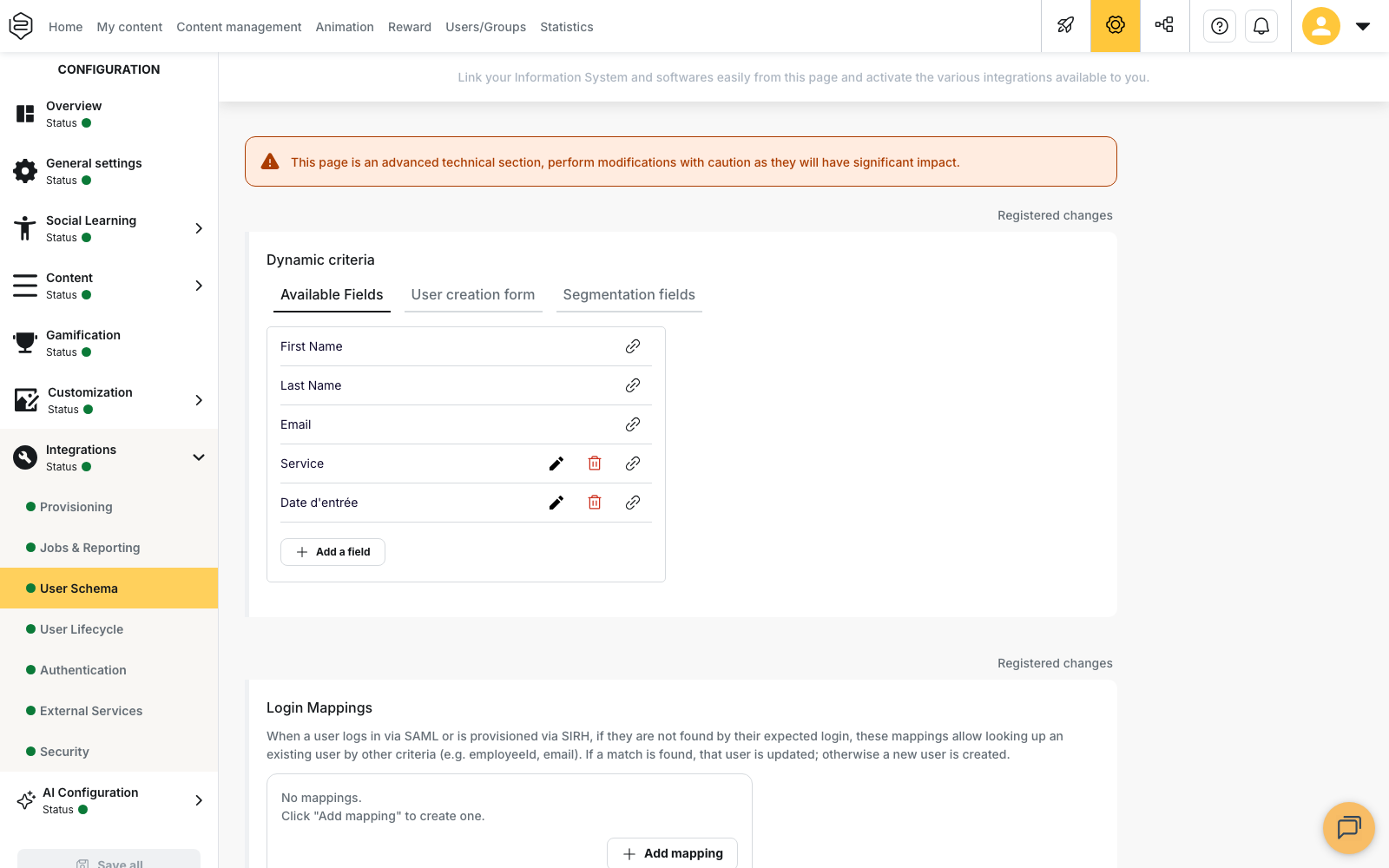
⚠️ The Franchise tab appears on the parent account only. When you are working inside a department, the tab is not displayed, and the criteria you set apply to the whole account.
Setting the criteria of the manager form
In the Franchise tab, Identifier type determines what identifies the learners created by managers: Email or Internal identifier.
Each criterion of the form then takes one of four positions:
- Standard: the manager is asked for the criterion, and may leave it empty.
- Required: the manager is asked for the criterion, and must fill it in.
- Hidden: the manager is not asked for the criterion.
- Required & Hidden: the manager is not asked for the criterion, which is expected to carry a value.
A Hidden criterion is not shown to the manager, so its value can only come from the default value set on the group. A criterion set to Required & Hidden with no default value on the group therefore stays empty.
Opening account creation on a group
A manager creates no account until their group has been prepared for it.
- Open the group in Users/Groups, then open its Advanced options.
- In the General tab, select Learner management by managers from the application.
- Set the number of places allowed for the group.
- In the table that appears, with the Field name and Default value columns, enter the value applied to each criterion of the manager form for this group.
⚠️ When a group has a maximum number of places set, its Registration form tab can no longer be edited. The tab shows the message Editing not possible when learner management by managers is enabled, and its fields become read-only. To edit the form again, clear the maximum number of places, make your changes, then set the option and the places again.
What the manager does in the application
From My team, the manager creates learner accounts with the form you prepared, for their own group.
Creation depends on the places left on the group. Once the last place is taken, the manager must free up a place, or you must increase the maximum number of places available.
The manager is also alerted during the seven days before one of their learners’ accounts expires. The alert names the learner, indicates the date from which the learner loses access to the content, and can be dismissed. When the group carries a creation form, the alert also lets the manager edit the learner’s record directly.
What franchise mode does not change
Franchise mode settles who creates accounts and with what information. It does not change what a learner sees in the application, and it does not separate entities from one another: that remains the role of departments.
A franchise network and an academy answer different needs. Franchise mode opens account creation to managers; an academy gives each brand its own entrance and its own content in the application. An account can use both.
Going further
- Setting up a team leader: what you open to the manager beyond account creation
- Adding users: creating accounts from the back-office, one by one or by import
- Understanding academies: giving each brand its own content universe, which franchise mode does not do
- Modelling your company org chart: splitting into departments when each entity must be walled off