The skill-based certificate
A skill-based certificate does not look at the content a learner has taken. It looks at the level reached on the skills of your framework, which makes it the form of certificate that recognises mastery observed in the field rather than time spent on capsules. For the other form, see Certificates.
The skill-based certificate
A skill-based certificate does not look at the content a learner has taken. It looks at the level reached on the skills of your framework, which makes it the form of certificate that recognises mastery observed in the field rather than time spent on capsules. For the other form, see Certificates.
⚠️ Rights required: Can create and modify certificates, in the animation rights.
⚠️ Prerequisite: your framework must contain at least one active skill. Without an active skill, the Skills step cannot be completed and the certificate cannot be saved. See Building the skills framework.
Creating the certificate
Open Reward > Certificate, select the By skill tab, then click Create a certificate. The form opens on four steps.
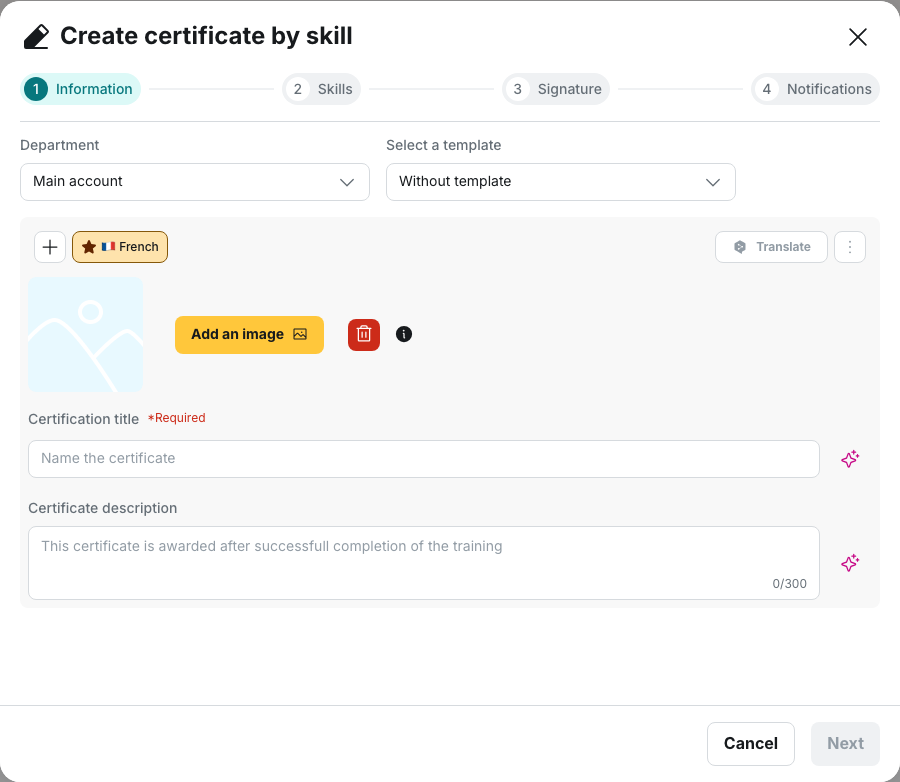
- At the Information step, choose the Department, then fill in the Certification title and the Certificate description.
- At the Skills step, set the conditions that award the certificate.
- At the Signature step, add the Full name and the Job title that appear at the foot of the document.
- At the Notifications step, choose who receives the certificate by email: the learner, the team leader in copy, or other addresses in copy.
Pairing a skill with a level
At the Skills step, each row pairs a skill, chosen under Select skill, with a level, chosen under Assign level. Click Add a skill to create an additional row. A skill already used disappears from the list, so the same skill cannot be required twice.
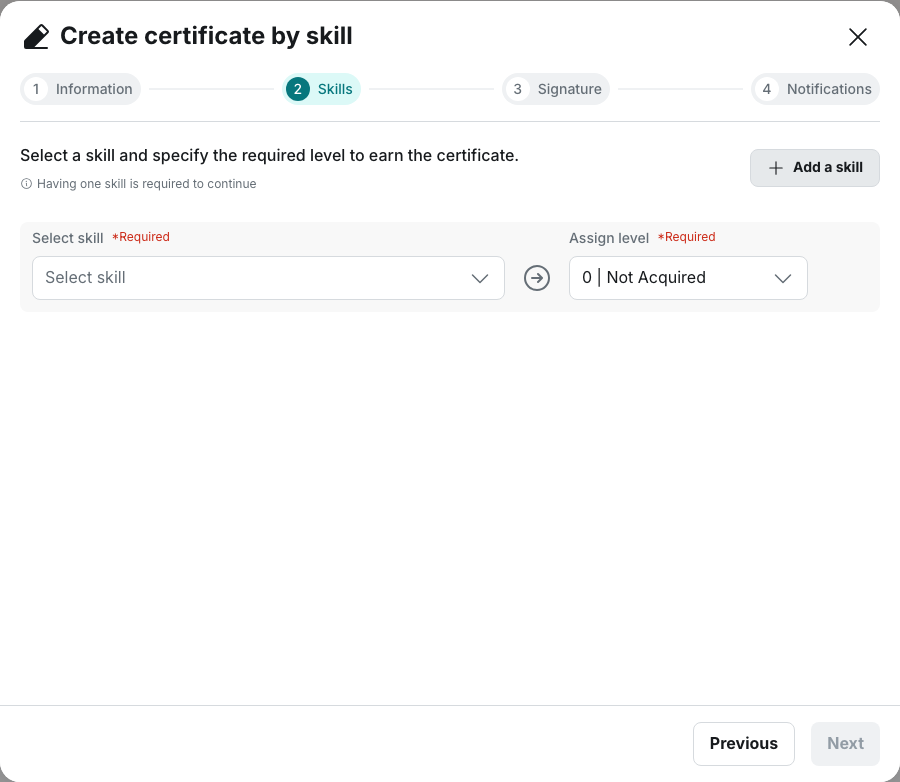
The levels offered are those of your own scale, shown by rank and name, for example 2 | Competent. The scale has six levels, numbered 0 to 5, and each one can be renamed in the configuration. See Mastery levels.
⚠️ The level arrives pre-filled on the first level of the scale. Nothing requires you to change it, and the certificate saves with that value. The certificate is then awarded as soon as a coach assesses the skill, whatever level the coach gives. Check every row before saving.
💡 Tip: requiring the highest level on every skill produces a certificate that few learners obtain, because the top of the scale usually describes a reference expert. Require the level that corresponds to working unsupervised, and reserve the highest level for a second certificate.
How the certificate is awarded
The certificate is awarded when the learner’s level is equal to or above the required level on every skill listed. The conditions add up: a single unmet row prevents the award.
The level taken into account is the one a coach assigns when assessing a milestone. Two other levels exist in the platform and play no part in this calculation:
- the theoretical level, derived from the capsules taken, awards no certificate;
- the assessment a team leader enters from their own interface is visible in the statistics but triggers no award.
The check runs immediately after a milestone is assessed, then again on each learner activity on a capsule. A learner receives a given certificate once only.
See Assessing and following skills.
Skills disabled after the fact
A skill disabled after the certificate was created remains in the certificate, prefixed (Disabled). The row is displayed as an error with the message The skill is disabled. Please choose another one.
The condition remains active: the requirement continues to be evaluated as it stands for as long as the row is present, and levels already reached by learners are preserved.
💡 Tip: before disabling a skill, check which certificates require it. A disabled skill is a frequent cause of a certificate that stops being awarded although its settings were not modified.
Limits of this form of certificate
A skill-based certificate does not expire. It has no validity period, no automatic reminder and no renewal, and the By skill tab has no expired-certificates column. If your certification must be renewed, use a capsule-based certificate, described in Validity, expiry and renewal.
The template is not applied. The Information step does offer Select a template, but the document is produced with the layout specific to skill-based certificates: account logo and colour, title, description, date obtained, signature, then the skills with their required level.
Going further
- Assessing and following skills: how a coach assigns a level, which determines every award described here.
- Mastery levels: the shared scale, and the effect of renaming a level after the fact.
- The capsule-based certificate: the other form, the only one that expires and can be renewed.
- Skills and coaches: where the levels reached and the coaches’ activity are read.