Attaching skills to content
⚠️ Prerequisites: at least one active skill in the framework. See Building the skills framework.
Attaching skills to content
⚠️ Prerequisites: at least one active skill in the framework. See Building the skills framework.
⚠️ Rights required: whichever right opens the editor of the content concerned, Create and edit all capsules or Create and edit tips. The Create skills and Update skills rights govern the framework only: neither is needed to attach.
Attaching a skill decides that a piece of content, once completed, credits a number of points on a skill. Those points raise the learner’s theoretical level, and nothing else.
Where the control is
| Content | The control | What it credits |
|---|---|---|
| Capsule | Editor, General menu, Associated skills block | Points |
| Tip | Editor, Diffusion column, Associated skills block | Points |
| Simulation | Subject & contents tab, Skills selector | Nothing |
| On the job action | Action options panel, Assign 1 skill | Nothing |
In the capsule editor, the block sits under the Learning objective field, before the Categories section.
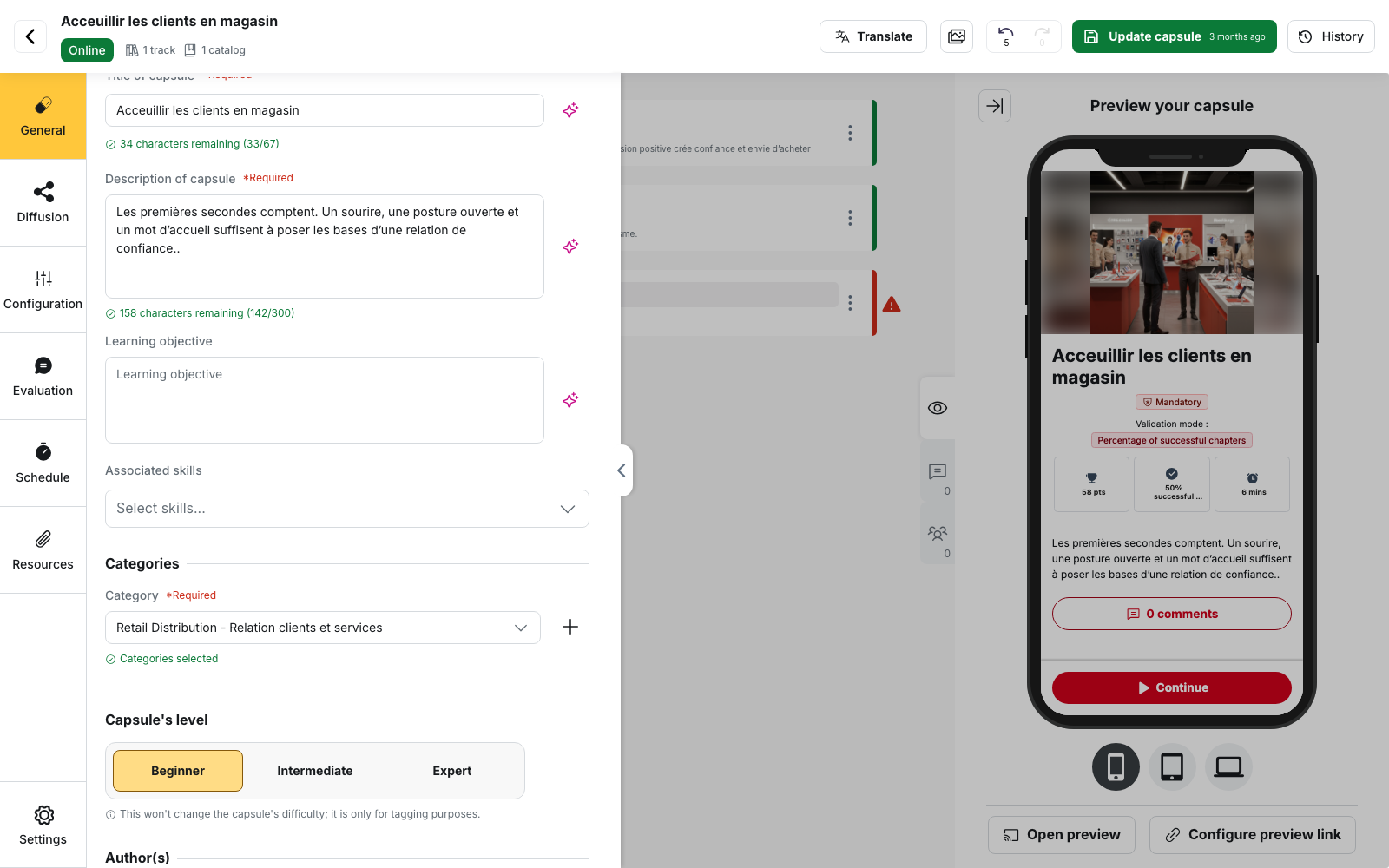
A capsule created blank already carries this block at the Classification step: same setting, reached earlier. No other content carries a skill: neither the track, nor the session, nor the product sheet has this block.
Attaching a skill to a capsule
- Open the capsule, then the General menu.
- In the Associated skills block, open the Select skills… selector. It is searchable and takes several skills.
- Tick the skills concerned. Each one then appears on its own row, under the selector.
- On each row, set the Points counter between 0 and 100.
- Save the capsule with Update capsule.
To remove a skill, use the cross at the end of its row.
What an attachment credits
Every selected skill shows with its own counter, adjustable from 0 to 100: it is labelled Points in the capsule editor and pts in the tip editor. When the learner completes the capsule at 100 % or reads the tip in full, those points are added to their running total on that skill. The theoretical level is then derived from that total, by thresholds.
Thresholds are set skill by skill: Content management, Skills tab, open a skill, Theoretical points tab, one pts counter per level. Left alone, the shipped thresholds are 0, 1, 3, 6, 10 and 15 points. The total and the level are read on the learner side under My skills, on the Theoretical row, and in the back-office under the Theoretical Level column of the skill statistics. See Skills and coaches.
Several skills on one piece of content
The block is a multi-select with no cap, and each skill carries its own counter. Once you have chosen, the selector shows the count, for example 3 skills selected. Nothing is split: a capsule set to 3 points on two skills credits 3 points on each, not 1.5. A skills group cannot be attached: only skills appear in the selector.
💡 Weight by actual contribution. An introductory capsule and an advanced one should not carry the same number of points, or the theoretical level rewards volume.
What it does not do
Attaching is not retroactive. Points are credited only at the moment the learner completes the content. Anyone who finished the capsule before you added the skill to it gets nothing, and no back-fill of history exists. This is what every account hits when it builds its framework after its content: the measure only becomes readable through the completions that follow.
Detaching a skill cancels nothing. Removing a skill stops future credits; points already earned stay earned, and the theoretical level does not drop.
No target level is set per attachment. Content grants points, it does not aim at a level, and the theoretical level awards no certificate: only the level a coach assigns does. See The skill certificate.
The simulation and the On the job action credit nothing. They place the skill and group the content, without touching the total.
Worth keeping in mind
⚠️ The counter starts at 0. A skill you have just selected on a capsule is added with a value of 0 points. Remember to set the number of points you want on each skill before you save your capsule and publish it.
⚠️ A deactivated skill disappears from the block. It stays attached as long as you touch nothing, but the first change made to the block removes it from the content. Reactivate it before reopening the capsule if you want to keep it.
⚠️ Changing the thresholds does not recompute levels already reached. New thresholds apply only to the next credit of points. Set them before you open the framework up.
⚠️ Completing the same content again credits the points again. The total measures the volume of content worked through, not the number of distinct subjects covered.
Going further
- Assessing and tracking skills: the three readings of a level, and why the theoretical one is not enough.
- Mastery levels: the scale the thresholds land on.
- Tips and their variants: the second content type that credits points.
- Configuring a simulation: where the skill is set, and what it is used for there.