Getting started as a content creator
Getting started as a content creator
You are in the right place if
You create your own capsules, and they go through validation before going live. On the back office authorizations screen, this profile is called Content creator.
This is the profile for subject-matter contributors: someone who knows their trade, produces content now and then, but doesn’t administer the platform as a whole.
If you can also see other people’s content and your publications go live without validation, you probably hold the content editor profile instead. On the authorizations screen, that profile is called Content editor. Same job, with slightly broader rights.
What you see
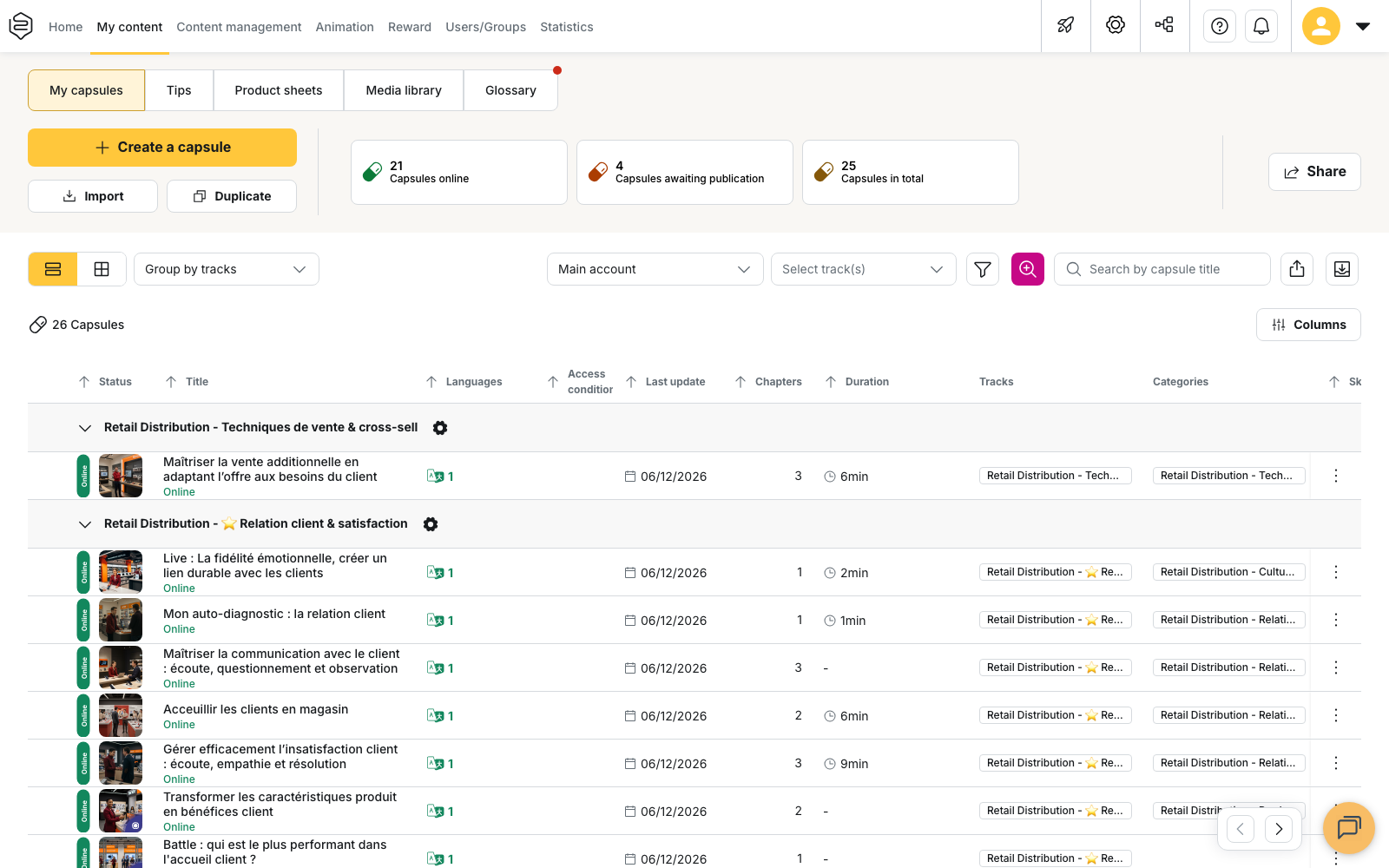
Your menu contains Home, My content, Content management, Animation, Users/Groups and Statistics. Any screens that don’t belong to your profile simply don’t appear.
The thing to understand first
⚠️ In the My content tab, once you have created a capsule and you click Publish capsule, that doesn’t put it online.
Your capsules enter the validation circuit as soon as they are created, because that’s how your profile works. The capsule moves to In validation and waits for a validator to accept it. Until it has been accepted, no learner sees it on the learning platform, even if it is attached to a track.
This isn’t a configuration issue: it’s how the profile is designed to work.
⚠️ Nobody is notified, either way. No notification tells the validator that a capsule is waiting, and you won’t be told when yours is accepted. Follow the status of your capsules in My content.
💡 Tip: ask on your first day who validates, and within what timeframe. A capsule finished on Monday and approved three weeks later means a discouraged contributor.
What you can do
- Create, edit and translate your own capsules. Everything happens in the My content tab.
- View groups and tracks, in Users/Groups and Content management: you can see where your capsules land and who receives them, but you can’t change anything.
- Read and moderate the forum, in Animation tab: when a learner asks a question under a capsule, you are the one who answers. The exact perimeter depends on the setting chosen on your access: it can be limited to the forum of your own capsules, or cover every forum.
- View the statistics of your own capsules, in Statistics: how many people took them and how many passed.
What is off-limits
- All account configuration of your company, and the back office access management that comes with it.
- Access to other people’s content: you can neither see it nor edit it.
- Content distribution: you can’t create user groups or tracks and you can’t send notifications.
- General statistics: no overall view, none per learner, none per track. You only see those of your capsules, and that is all.
- Campaigns, certificates and badges management.
⚠️ If a screen described in this article is missing on your side, that is the profile working as designed. See Why can’t I see this feature?
Where to start
- Write a first capsule on a subject you master. Your value lies in the field expertise: the precise gesture, the common mistake, the trick no procedure mentions.
- Publish it and follow its status. You’ll learn once and for all who validates content and how long it takes.
Going further
- Creating a capsule from scratch: a full first pass through the editor.
- Getting a capsule validated: the circuit your capsules follow, status by status.
- Translating your content: offering your capsules in the account’s other languages.
- Understanding custom permissions: if your access does not exactly match this page.