Creating a Life Quiz
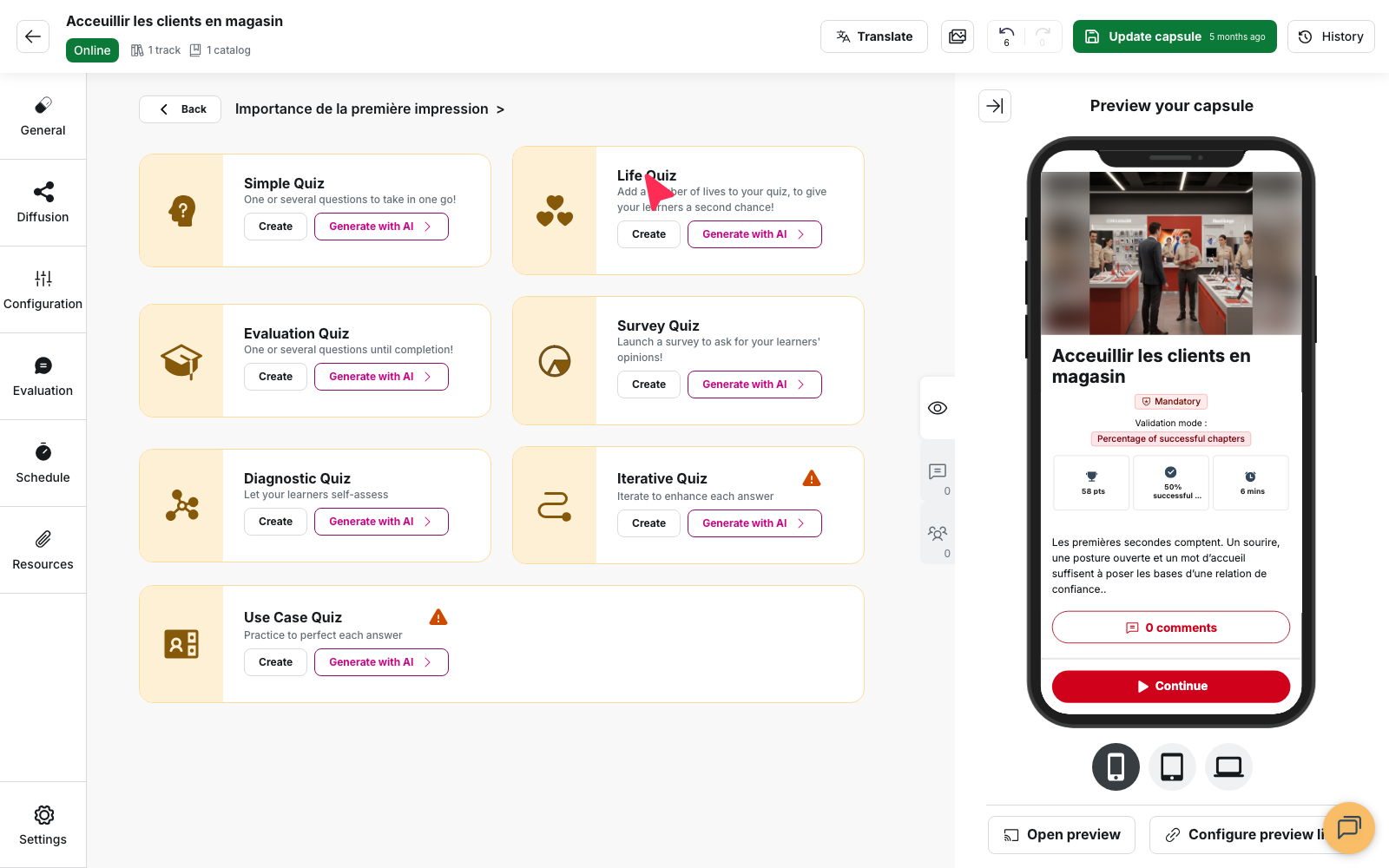
A Life Quiz gives learners several chances to answer: each wrong answer costs them one life. Use it to add a game-like element to a capsule.
Creating a Life Quiz
A Life Quiz gives learners several chances to answer: each wrong answer costs them one life. Use it to add a game-like element to a capsule.
Choosing the quiz type
In the capsule editor, open the quiz of the relevant notion, choose the Life Quiz card, then click Create.
Setting the number of lives
Adjust Set the number of lives for this quiz. The default value is 3 and the minimum value is 1.
Writing the questions
A Life Quiz offers the same question formats as a standard quiz. Satisfaction and Evaluation questions are not available, as in a standard quiz.
Generating the quiz with AI
When AI content generation is enabled on your account, click Generate with AI on the Life Quiz card to generate the quiz from the notion’s cards. If the notion does not contain enough text, the message Not enough text to generate a quizz appears.
What learners see
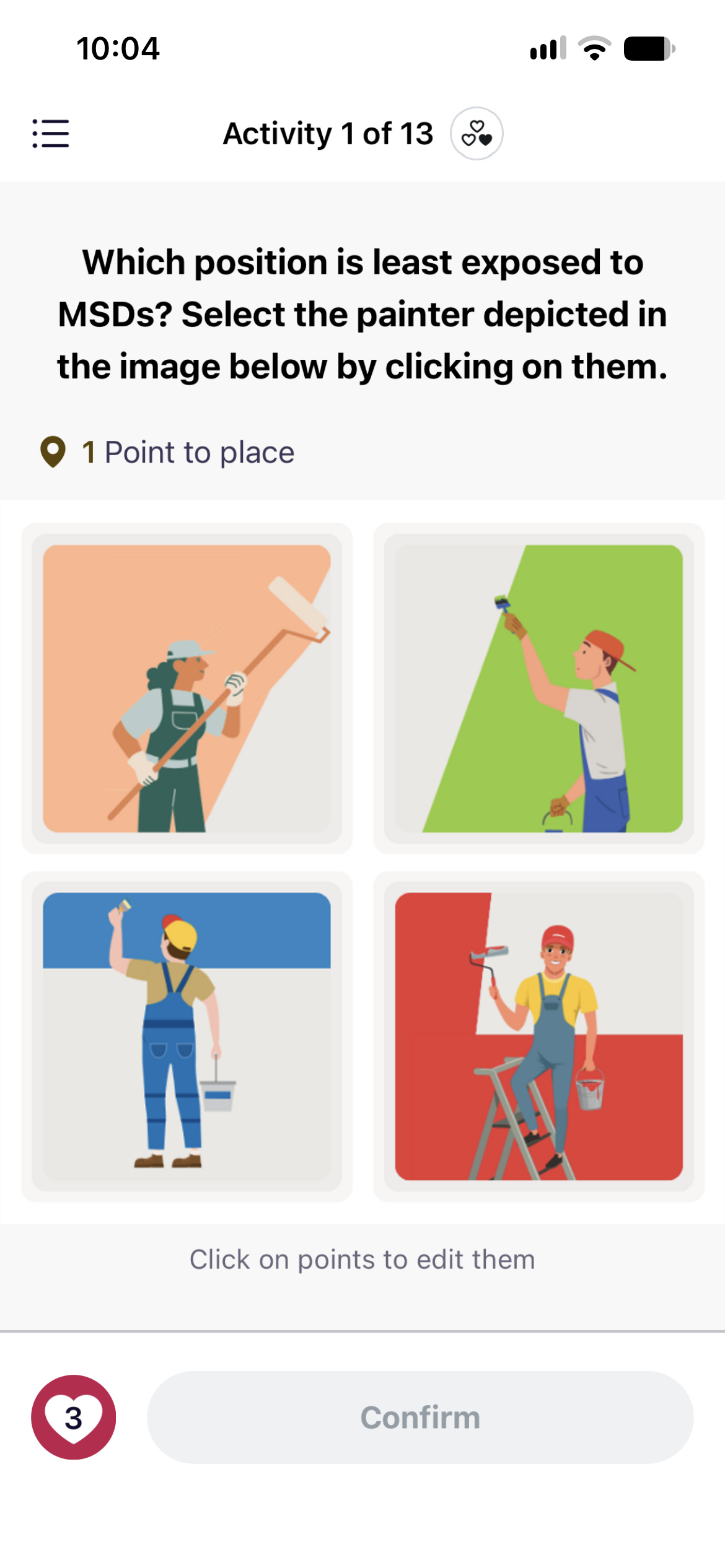
ℹ️ Good to know. The quiz is labelled Life Quiz. During the quiz, a heart next to the submit button shows how many lives the learner has left. Each wrong answer removes one life. When the learner has lost all their lives, the question counts as failed.
Further reading
- Activity formats: compare the Life Quiz with the other quiz types.