Prioritising a capsule: the pop-up on opening
Prioritising a capsule opens a pop-up when a learner arrives on their home page. Titled Discover Today, it displays one capsule at a time with Start capsule and Close.
Prioritising a capsule
Prioritising a capsule opens a pop-up when a learner arrives on their home page. Titled Discover Today, it displays one capsule at a time with Start capsule and Close.
Enable prioritisation
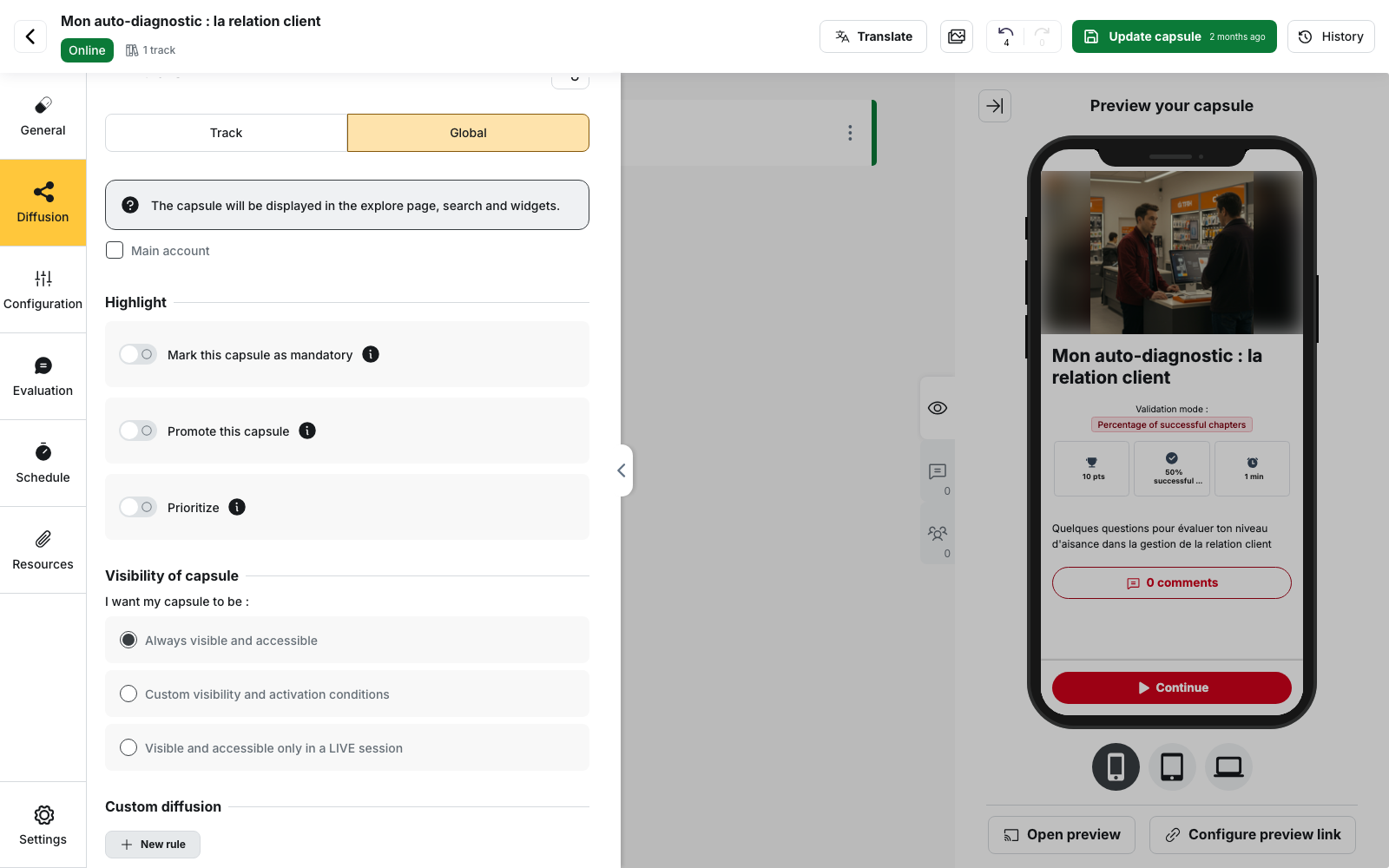
In the capsule editor, go to Diffusion > Global > Highlight, then turn on Prioritize.
Three settings are available:
- Start date — Required
- Importance — determines how often the pop-up can reappear
- End date — optional and can be cleared with Clear
⚠️ Mandatory status is separate from prioritisation. Mark this capsule as mandatory is a separate switch, but mandatory status affects the ranking of prioritised capsules.
A Start date must be set for the pop-up to appear.
Importance controls the frequency
Importance does not determine the display order. It sets how soon the pop-up can appear again for the same learner and capsule.
| Level | Frequency |
|---|---|
| Low | Once a month |
| Medium | Once every two weeks |
| High | Every 3 days |
| Very high | Every day |
One pop-up per day
A learner can see only one prioritisation pop-up per day, regardless of how many capsules are prioritised.
If several capsules are eligible, the others remain queued until they can be displayed.
Which capsule is displayed first?
When several capsules are eligible on the same day, they are ranked by:
- Mandatory status
- Importance, from highest to lowest
- Scheduled unpublication date, from nearest to furthest
- Start date, from earliest to latest
- Title, in alphabetical order
The displayed capsule is the highest-ranked one whose frequency allows another display that day.
The Prioritization column in the capsule list shows the current setting.
When the pop-up stops appearing
- Non-mandatory capsule: as soon as the learner starts the capsule
- Mandatory capsule: once the learner completes it
- Capsule out of reach: a capsule the learner cannot access is never displayed
Set the dates
The End date is optional, and its last day is included.
The back office rejects the following combinations:
- Start date is after the end date
- Start date is before the scheduled publish date
- Start date is on or after the scheduled unpublish date
- End date is after the scheduled unpublish date
💡 Tip: moving the Start date forward can make the pop-up eligible again for learners who saw it before that date, provided they have not started the capsule.
What prioritisation does not do
- It is not configured per group: there is no Prioritize setting in a Custom diffusion rule
- It does not make the capsule mandatory: use Mark this capsule as mandatory for that
- It does not affect the home page widget: use Promote this capsule to control the capsule’s presence in the widget
Check the result
To test the prioritisation, use a learner account that:
- has access to the capsule
- has not started it
- has not seen another prioritisation pop-up that day
- opens the home page
For time-sensitive content, set an End date and reserve Very high for content that genuinely requires a daily reminder, such as a safety instruction or regulatory deadline.