Campaign tracks: supporting an onboarding
A campaign releases a track's capsules progressively instead of making them all available at once. Learners receive a notification at each stage.
Campaign tracks: supporting an onboarding
A campaign releases a track’s capsules progressively instead of making them all available at once. Learners receive a notification at each stage.
A campaign applies to an existing track.
⚠️ Rights required: Allowed to update tracks to create or edit a campaign.
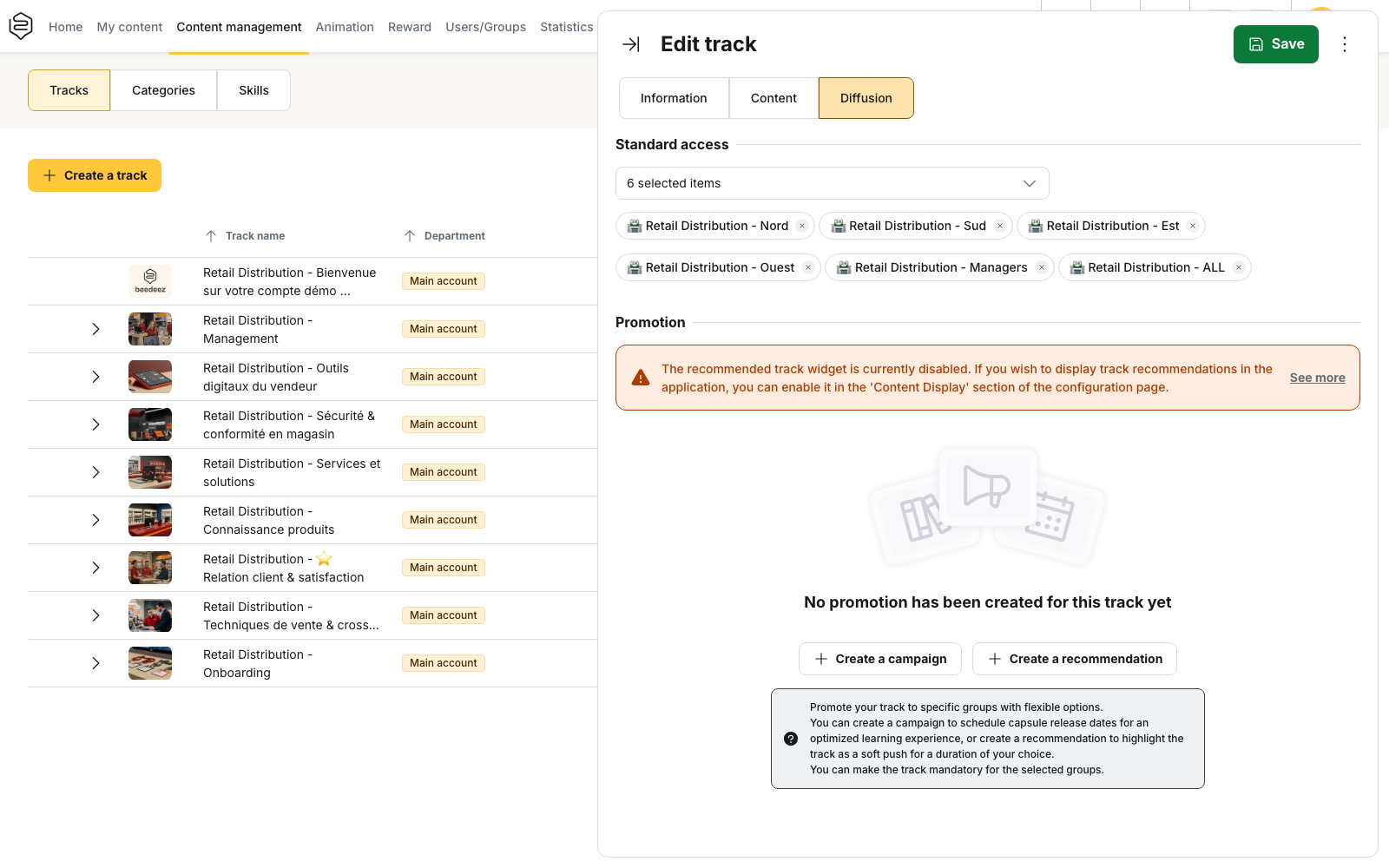
Creating a campaign
Open the track > Diffusion > Promotion.
- If no promotion exists, click Create a campaign
- If a promotion already exists, the button becomes Promote track
The campaign applies to the groups selected under Target groups. The track automatically becomes mandatory for these groups: campaigns are always mandatory.
⚠️ Campaigns are available in the mobile application from version 12.36.0 onwards.
Fixed or rolling campaign
The This is a rolling campaign switch determines how the first day of the campaign is calculated.
| Type | Setting | First day |
|---|---|---|
| Fixed campaign | Start date + End date | The same date for all learners |
| Rolling campaign | Initiate after learner’s onboarding date (days) | Each learner’s onboarding date + the number of days entered |
A rolling campaign has no end date.
For a learner without an onboarding date, the account creation date is used instead.
Scheduling the capsules
The release delay is set capsule by capsule in the Content tab.
When a campaign is active, each capsule displays a D+0 button. Click it to open Define the broadcast date, then enter the number of days in Broadcast after the start date.
The number of days is calculated from the first day of the campaign, not from the date the setting is entered.
For example, a capsule set to D+3 becomes available three days after the campaign starts.
On a rolling campaign, the calculation is specific to each learner. The same capsule can therefore be released on different dates for learners onboarded at different times.
A capsule added to a track under campaign is automatically set to D+0. Removing the capsule from the track also removes its release delay.
💡 On a fixed campaign, the Promotions block displays the actual Broadcast date for each group. Use it to check the schedule before saving.
Notifications sent to learners
The platform automatically sends three notifications:
- A new campaign is available: on the campaign start date
- A new capsule is available: when a capsule is released
- J-5 before the ends of the campaign: five days before the end date
The last notification only applies to fixed campaigns, which have an end date.
A capsule scheduled for D+0 is released with the campaign. The learner therefore receives the campaign notification and the capsule notification on the same day.
Before its release date, a capsule remains visible in the track but cannot be started. The learner sees Available from followed by the scheduled date.
Learners who join after the campaign starts
A learner added to a target group after the campaign has started immediately sees the track and any capsules that have already been released.
Notifications from previous days are not sent again.
For a rolling campaign, eligibility is calculated from the learner’s onboarding date. A learner onboarded too long before the campaign was created may fall outside the expected period. In that case, all capsules are available immediately and no campaign notifications are sent.
Rolling campaigns are therefore intended for new arrivals rather than learners who are already onboarded.
Campaign and track validation
A campaign does not change the track’s validation rules.
Validation is defined in Information > Track validation.
⚠️ A validated track does not necessarily mean that every capsule was passed. This depends on the selected validation mode.
Rules to keep in mind
A group can have only one promotion per track.
A group already associated with a campaign or recommendation for the track no longer appears under Target groups.
While the campaign exists, its groups cannot be removed from Standard access. The platform displays:
You cannot deselect promotion groups from the track access.
On a fixed campaign, if a capsule’s release date has already passed when the campaign is saved, no notification is sent for that capsule. It is simply available.