Training requests
Prerequisite: the Enable training requests option, under Configuration → Content → Training requests. While it is off, no request can be filed and a published interest reaches no learner.
Training requests
Prerequisite: the Enable training requests option, under Configuration → Content → Training requests. While it is off, no request can be filed and a published interest reaches no learner.
Permissions: Create and edit training requests.
A training request is a learner asking for something the platform does not already give them. It comes in two shapes. In a free request, the learner names the subject, filling in a form you built, usually for a training that takes place outside your platform. In a training interest, the subject is already set: someone published a capsule that collects an expression of interest, the learner raises a hand, and you get a named count.
An interest tells you how many people would want what you were already considering. A free request tells you what you had not thought of.
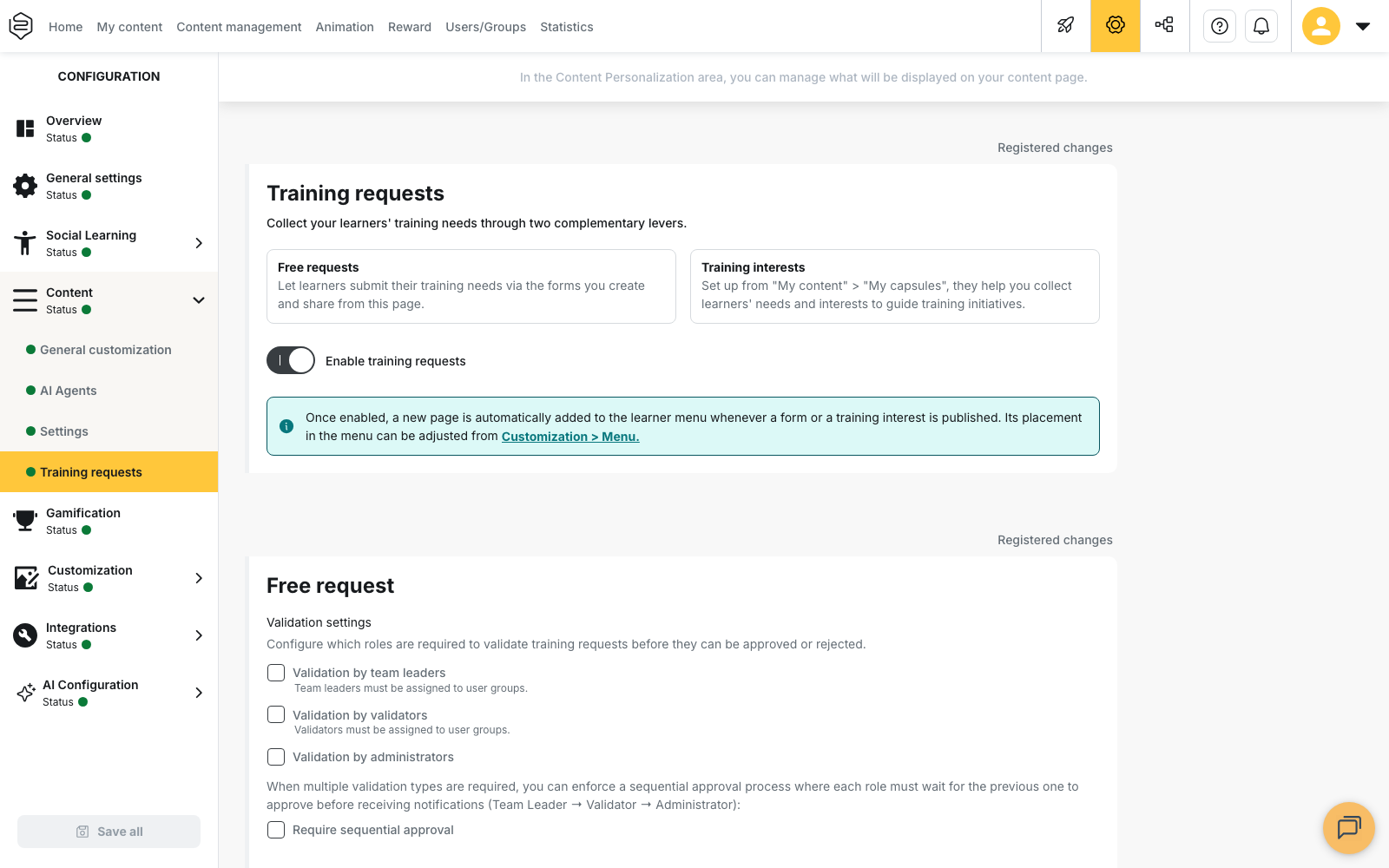
Where it is set
The activation screen also carries the Validation settings, filed under the heading Free request: they apply to that shape only. Three boxes name the required roles, Validation by team leaders, Validation by validators and Validation by administrators, and Require sequential approval enforces their order. Registrations on an interest are set elsewhere, interest by interest, in its editor.
⚠️ A required role nobody holds leaves requests pending. Team leaders and validators are named in the groups. See Roles within a group.
The Training requests menu entry only appears once a form or an interest is published; its placement is then set under Customization → Menu, see The home page and the menu.
Both shapes are handled in the same place, Animation → Training requests, in two sub-sections.
The two pages in this section
- Open requests: read this to build the form, choose who sees it, and process what comes back, answer included.
- Interest trainings: read this to follow an interest already online, see who signed up and decide what comes next.
What it does not do
Nothing converts on its own. A count or an approved request still leaves the capsule, the session or the booking with an outside provider to create by hand. There is no threshold and no closing date, and the learner gets only two messages, their request approved and their request rejected. Decide before you open who answers, and within what time.
To create an interest, on the content side, see Training interests.